Project snapshot
One operating system for all the moving parts of an event.
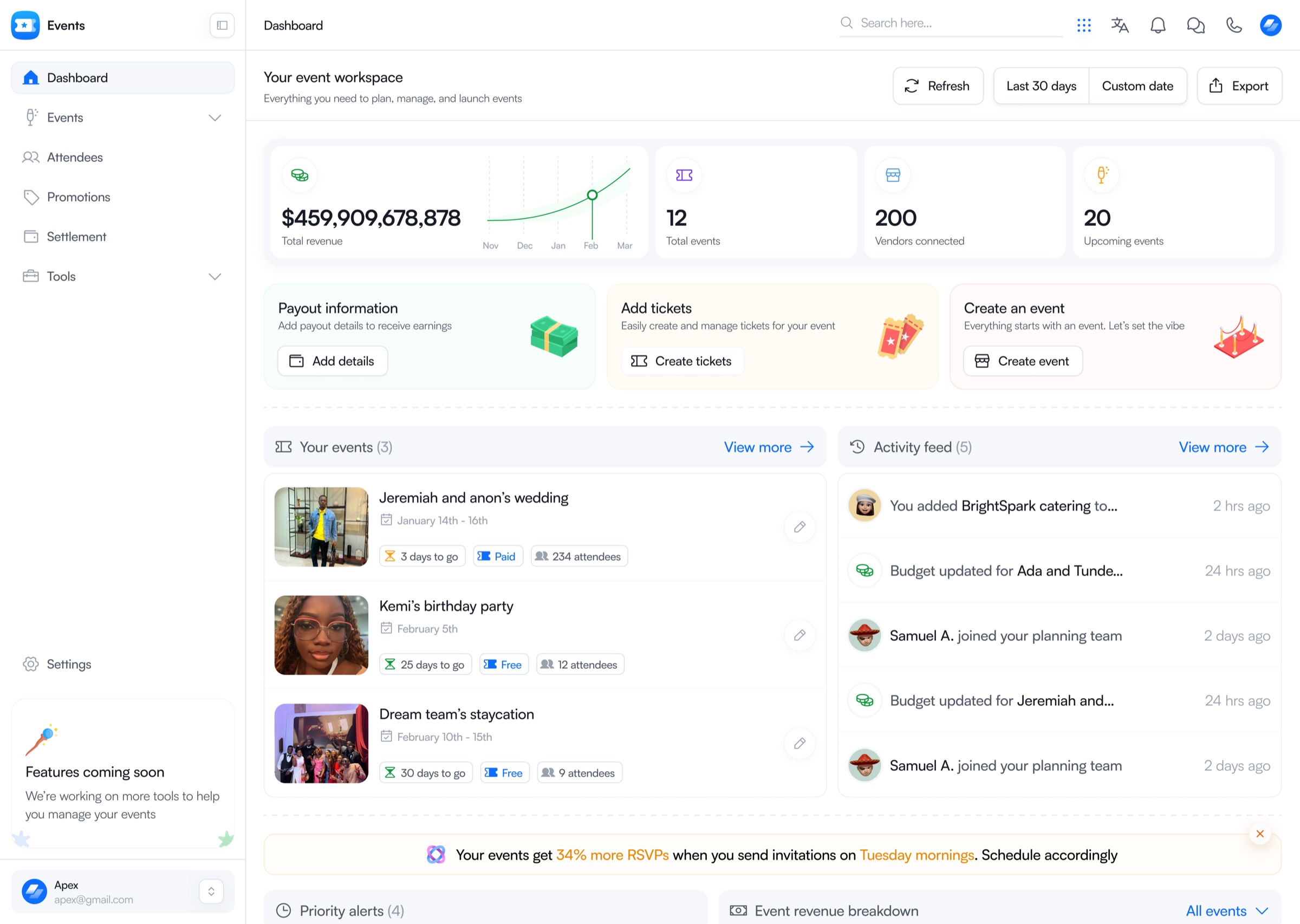
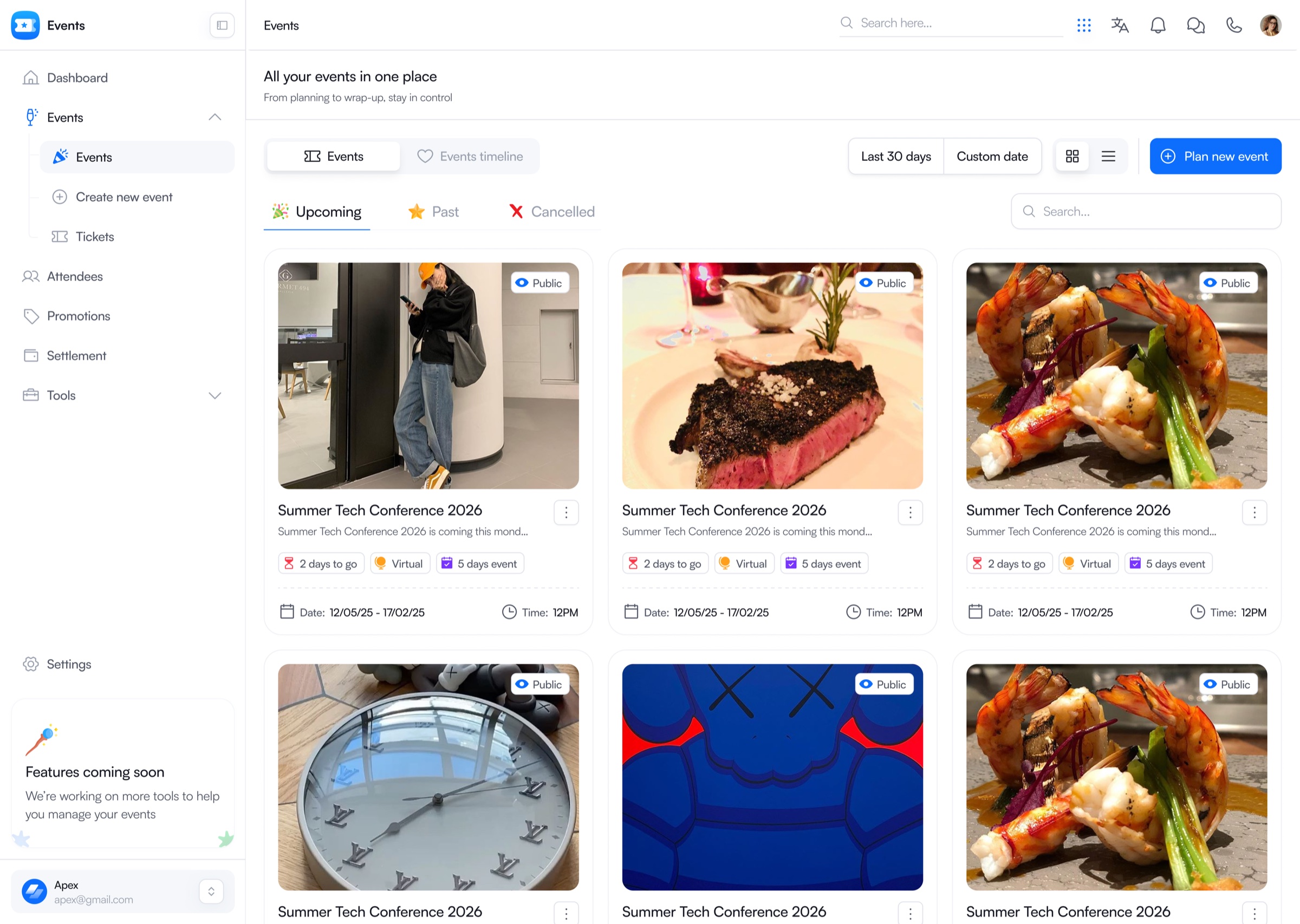
Events OS connects planning, sequencing, collaboration, and execution for weddings, conferences, private dinners, and other live events, replacing the scattered tools teams default to when nothing else exists.
The reality
Before Events OS, the plan lived in a dozen different places at once.
Guest lists sat in spreadsheets. Vendor updates moved through group chats. Floor plans were printed and taped to a wall. Menu changes got mentioned in a call and never wrote themselves down anywhere.
None of these pieces talked to each other. A guest count change didn't reach catering. A shift in the floor layout didn't reach whoever was setting up AV. Inconsistencies surfaced late, usually the same day as the event, and someone ended up fixing it under pressure instead of planning it in advance.
The problem was never that people didn't know how to plan an event. It was that planning had no single home.
The design challenge
Build for the afternoon when the plan changes twice.
I owned this vertical solo, from early research through the Planning Deck and its core flows. The brief I set for myself wasn't “make event planning look organized on a screen.” It was harder than that: build a system that holds up when a plan changes twice in the same afternoon, because that's what actually happens.
Key decision 01
The Planning Deck became the center of gravity.
Every other decision in Events OS orbits one call: there needed to be a single surface where the shape of an event lives, not five surfaces that each hold a piece of it.
Batch 1 of the Planning Deck covers floor and layout planning, event sequencing, menus, guests and RSVPs, and real-time collaboration with commenting. That scope was chosen deliberately. It's the planning work a team touches constantly, the stuff that changes hour to hour, not the stuff that gets set once and forgotten.
One shared plan
Event details stop being spread across documents, chats, spreadsheets, and memory.
Focused first release
Solve the planning work teams return to most, before trying to solve everything at once.
Key decision 02
Order of events became a multi-role timeline.
The hardest single problem in this system was sequencing. One event timeline has to serve completely different people with completely different needs. A planner needs the fifteen-minute operational view: what happens when, in what order, with what buffer. A vendor only needs their setup and teardown windows. Someone managing the room needs to know exactly when it turns over between courses or segments.
Building three separate views would have meant three separate sources of truth, which is exactly the fragmentation Events OS was supposed to fix. Instead, I designed one underlying timeline data model that different roles could view at different levels of detail, without anyone ever looking at a version of the plan that's already out of date.
Key decision 03
What wasn't ready was deliberately phased.
Vendor coordination, table assignments, and full budget tracking were cut from Batch 1 and moved to Phase 2. This wasn't a resourcing shortcut, it was a judgment call. Budget tracking alone needed fixed and planning-based modes, real-time cost tracking, planned versus actual spend, and role-based visibility, since not everyone on a planning team should see the same numbers. Designing that properly needed more time than the launch window allowed.
Shipping it half-considered would have created more confusion than shipping without it. The better call was to get the core planning loop right first and build trust in the system before adding its more complex layers.
What shipped and what was scoped
Batch 1
Planning Deck, floor planning, order of events, menus, guests and RSVPs, real-time collaboration, and commenting.
Phase 2
Vendor coordination, table assignments, full budget tracking, role-based visibility, planned versus actual cost tracking, and safeguards.
Public product story
The system also needed a clear way into it.
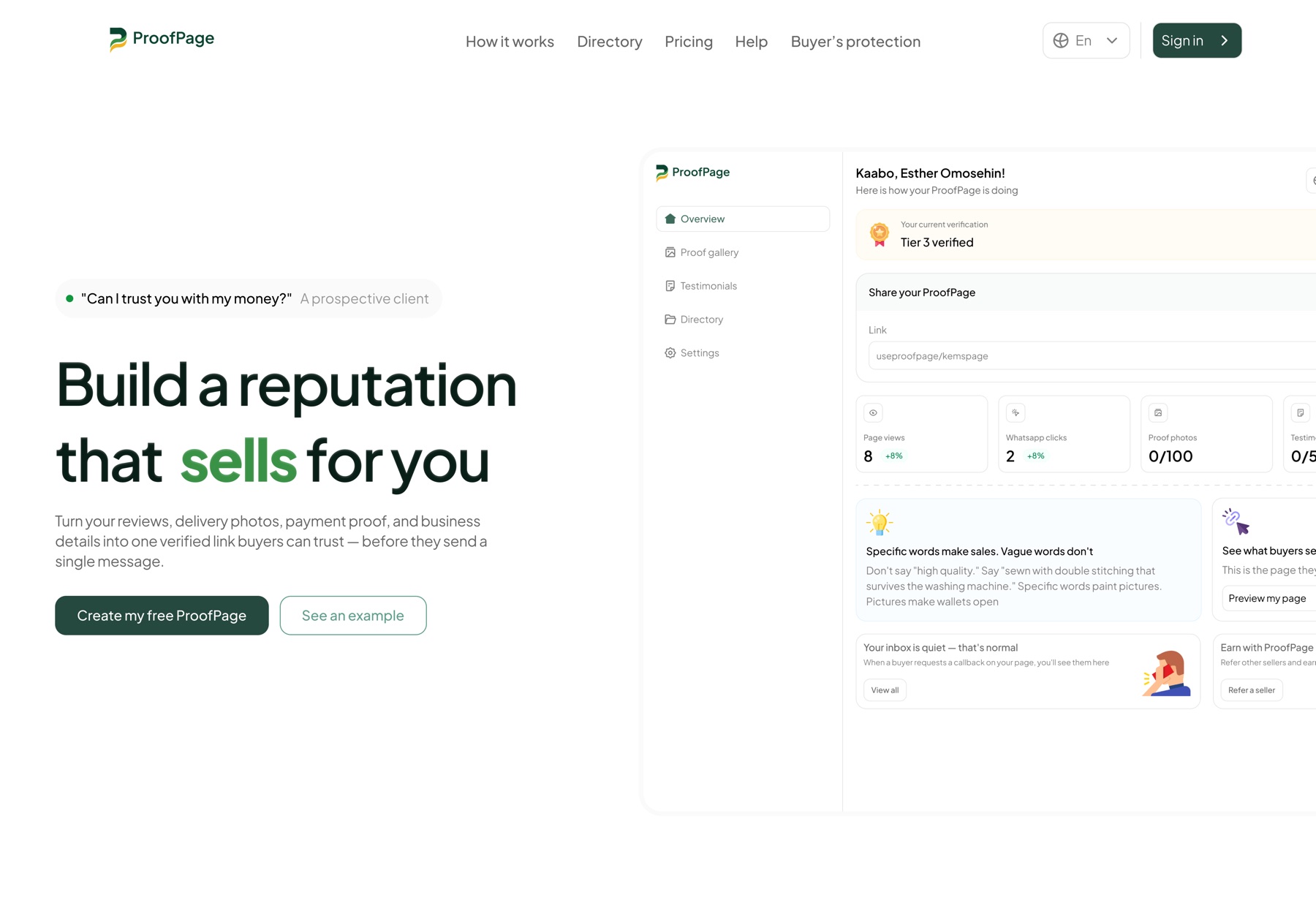
The Events OS landing page translates a dense operational product into a simpler promise for organizers: create the event, sell tickets, manage attendees, and keep execution in one place. The page introduces capability gradually before revealing the depth of the workspace.

Selected product flows
The operating layer around the event plan.
Planning is only useful if teams can carry it through. These supporting flows cover the path from a new event to tickets, attendee check-in, and settlement.
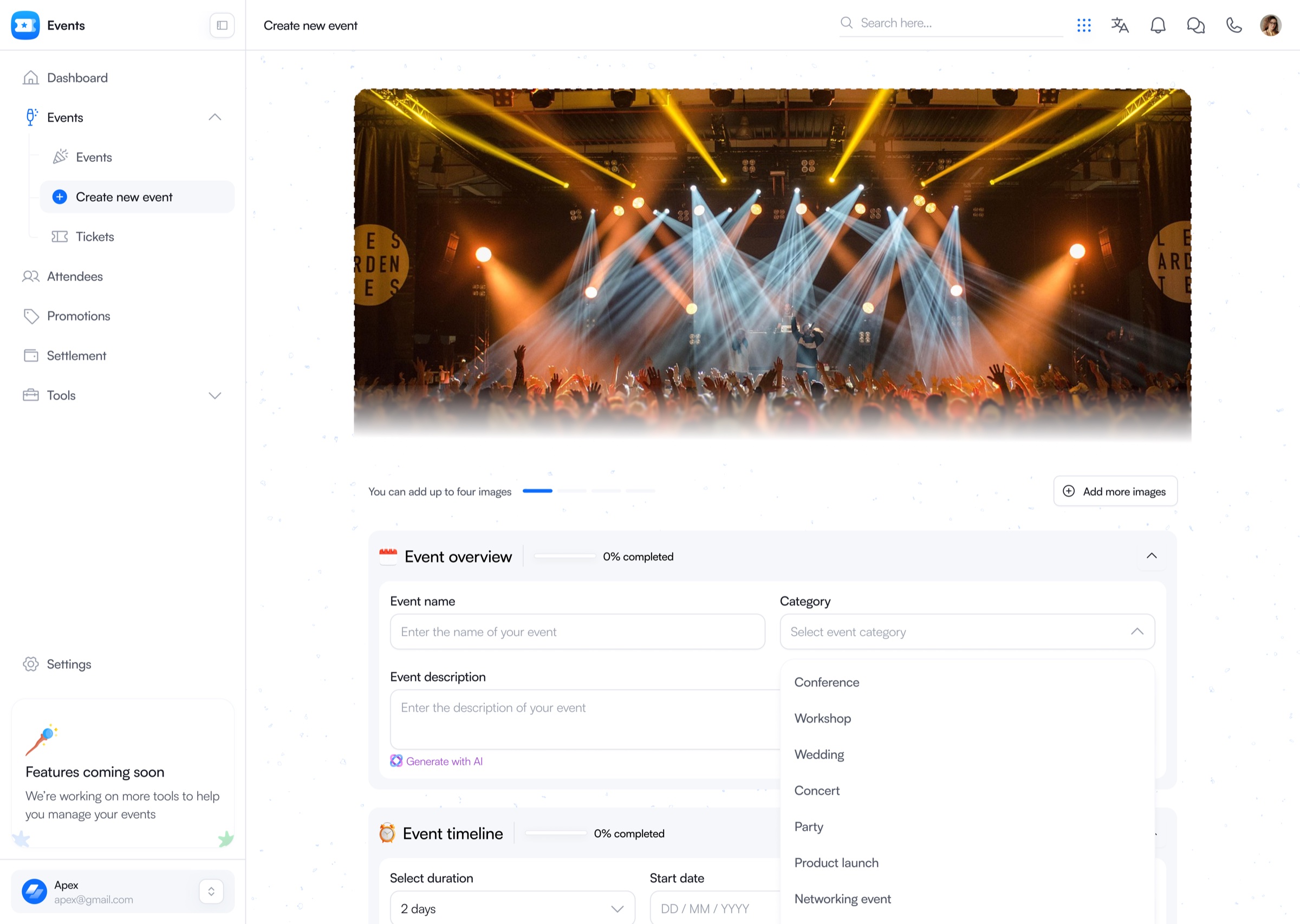
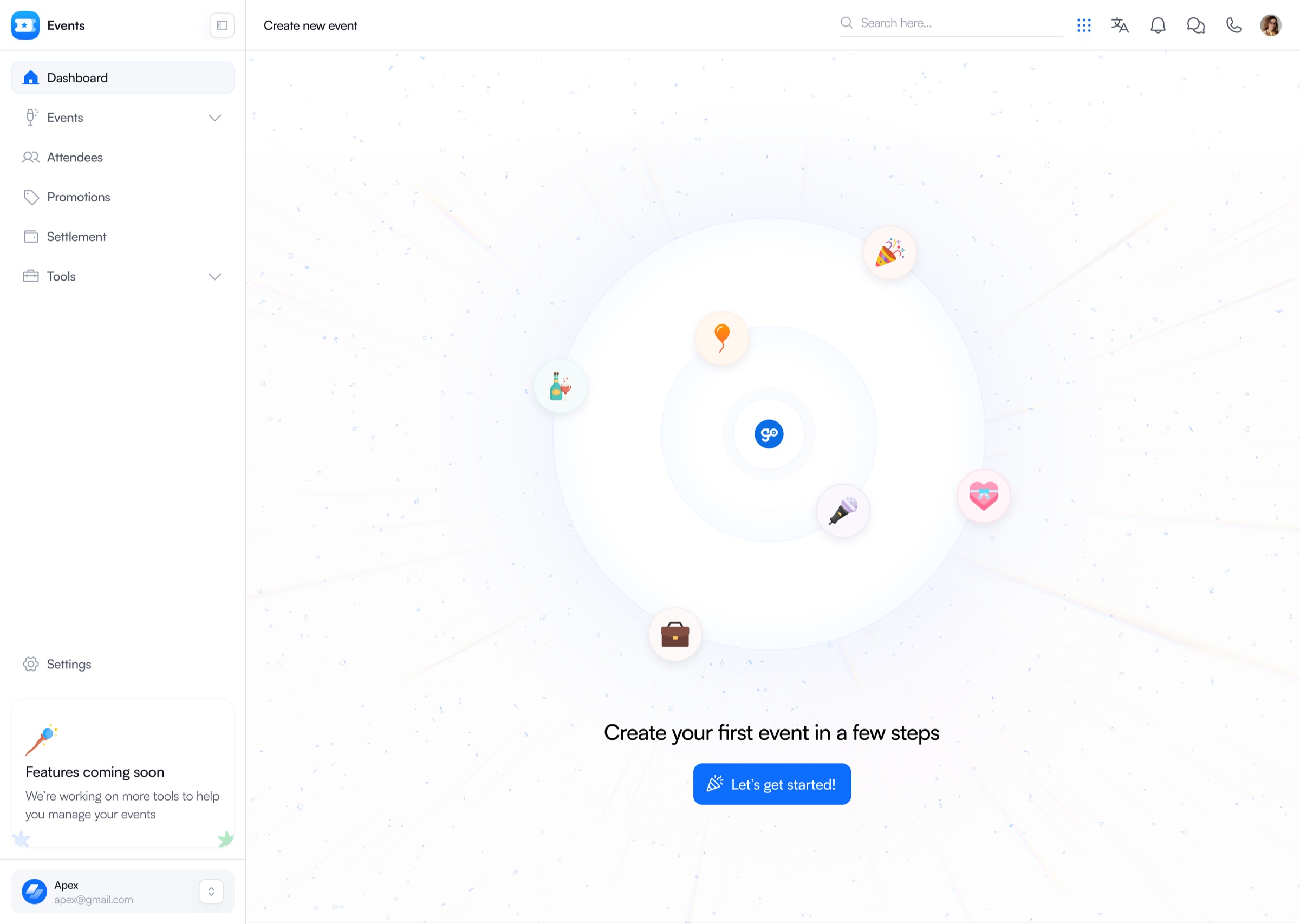
Create and organize
A clear starting point that opens into a structured event setup flow.
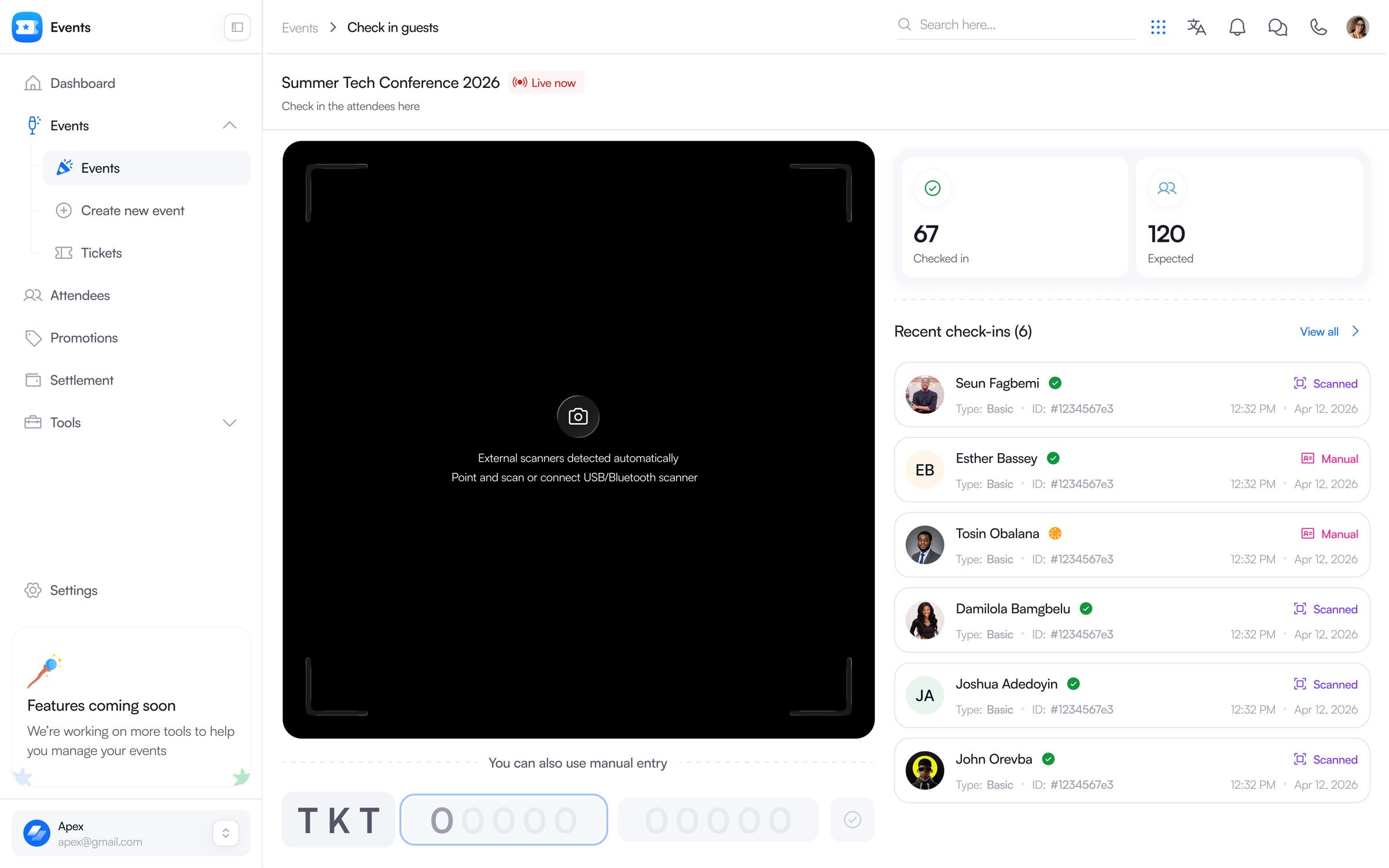
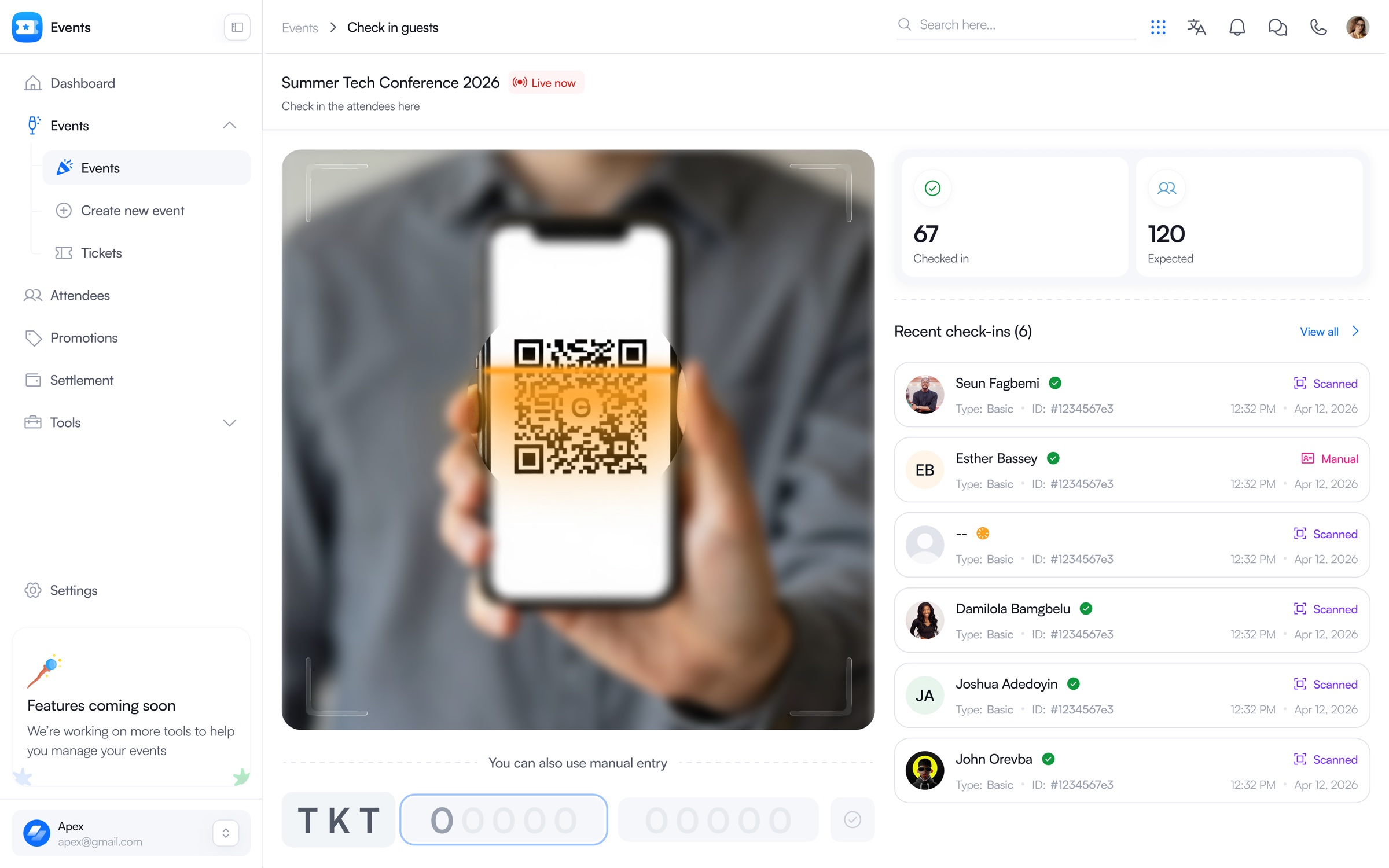
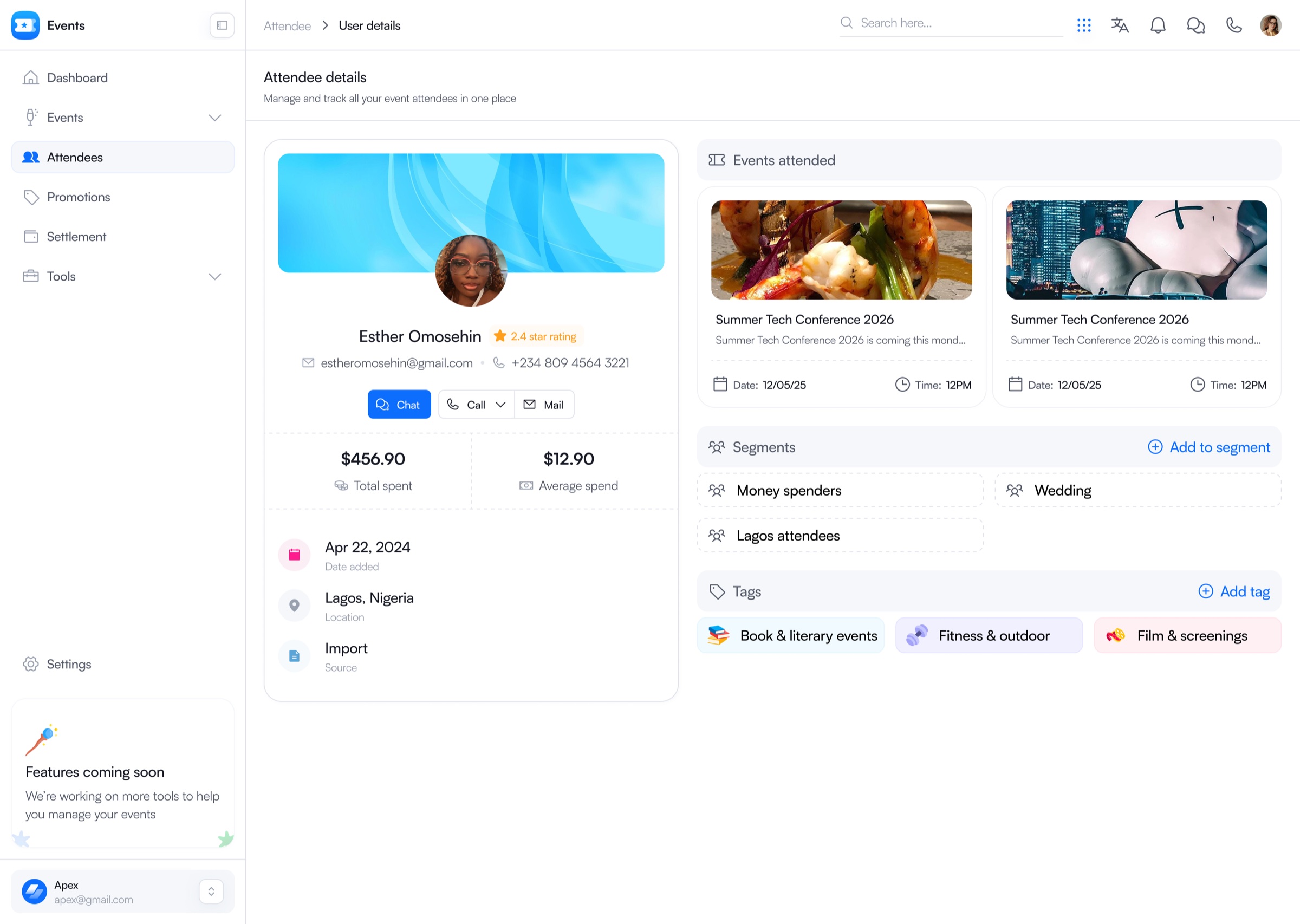
Run attendance
Guest context, scanning, manual entry, and live arrival status stay in one operational flow.
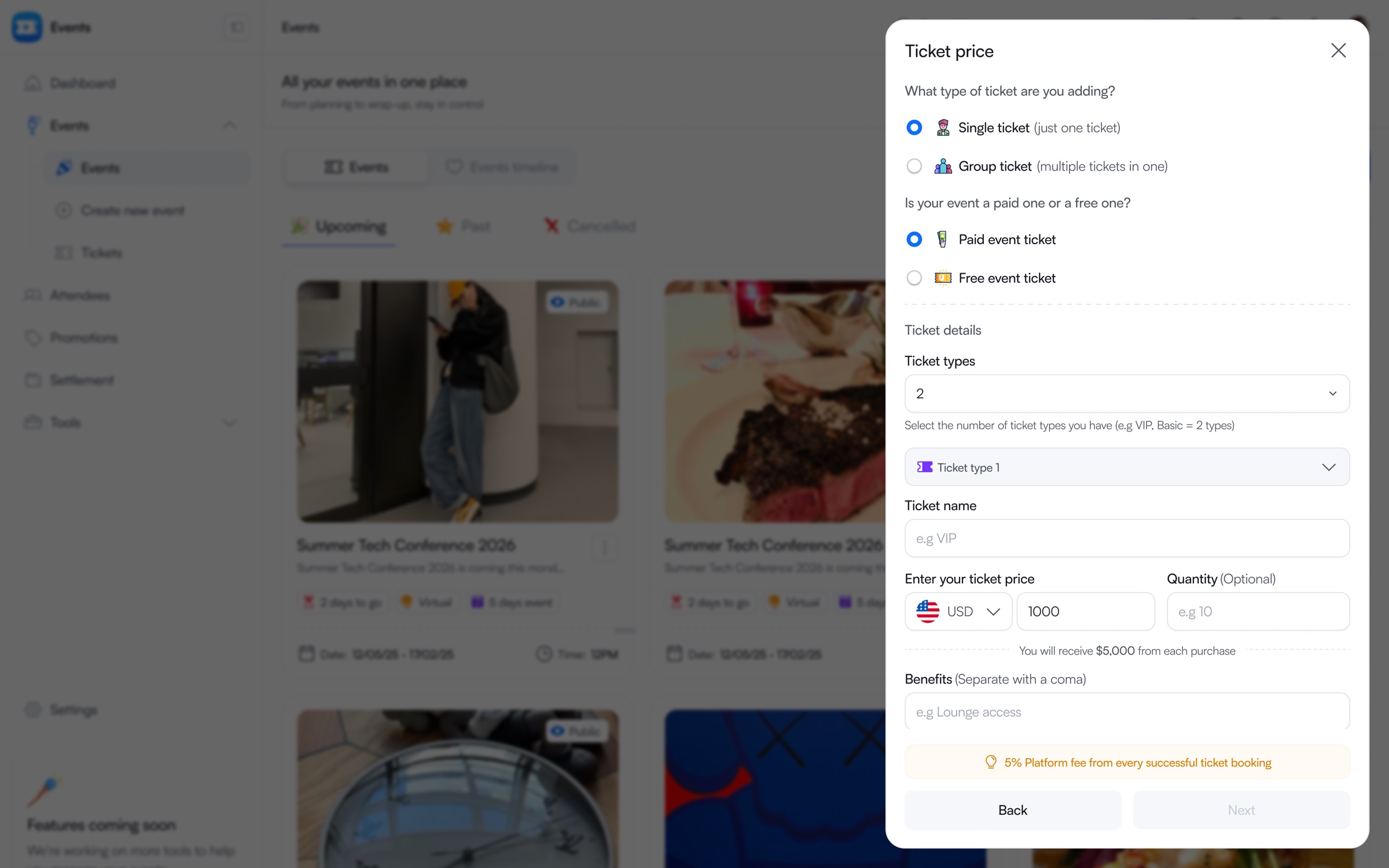
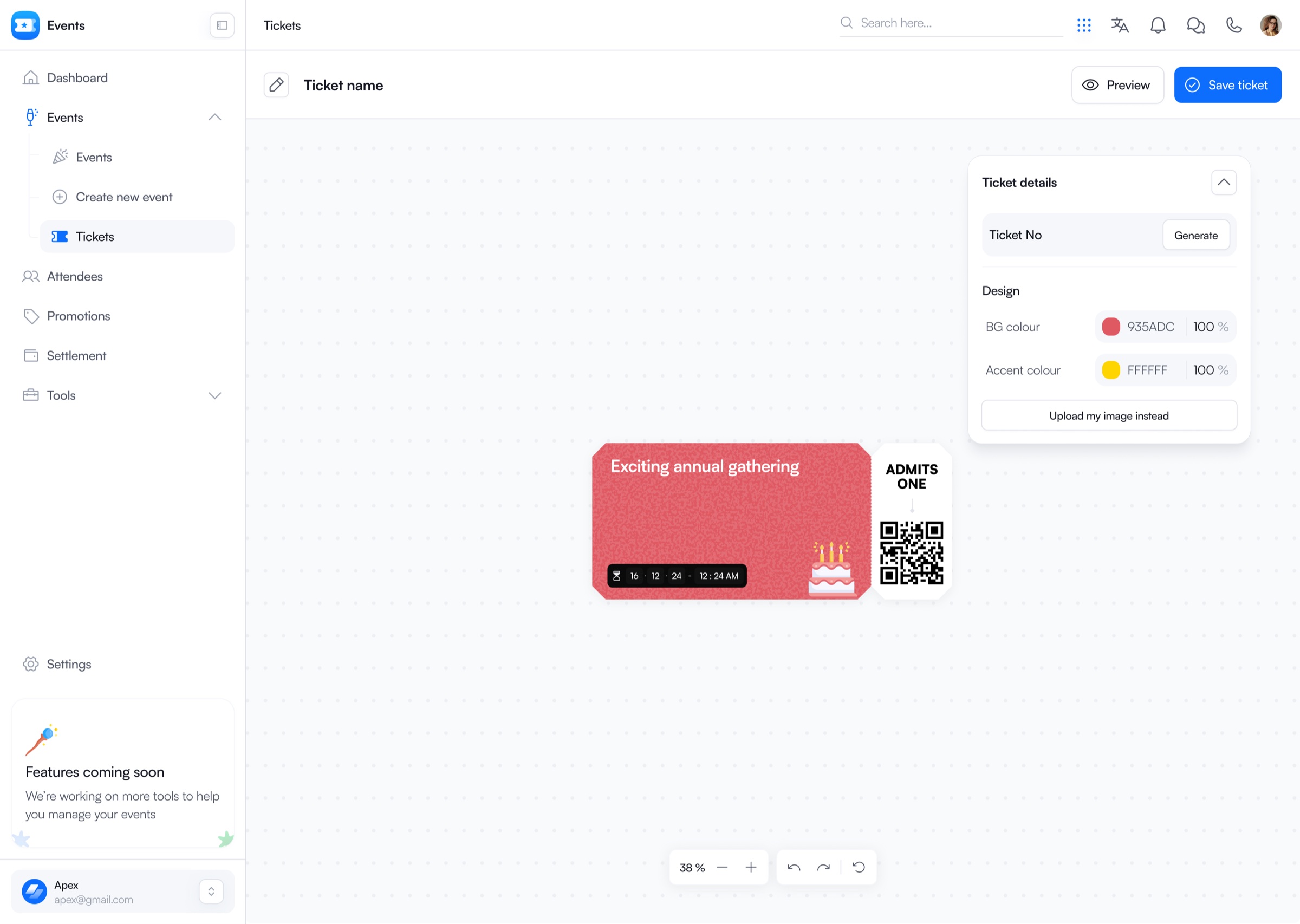
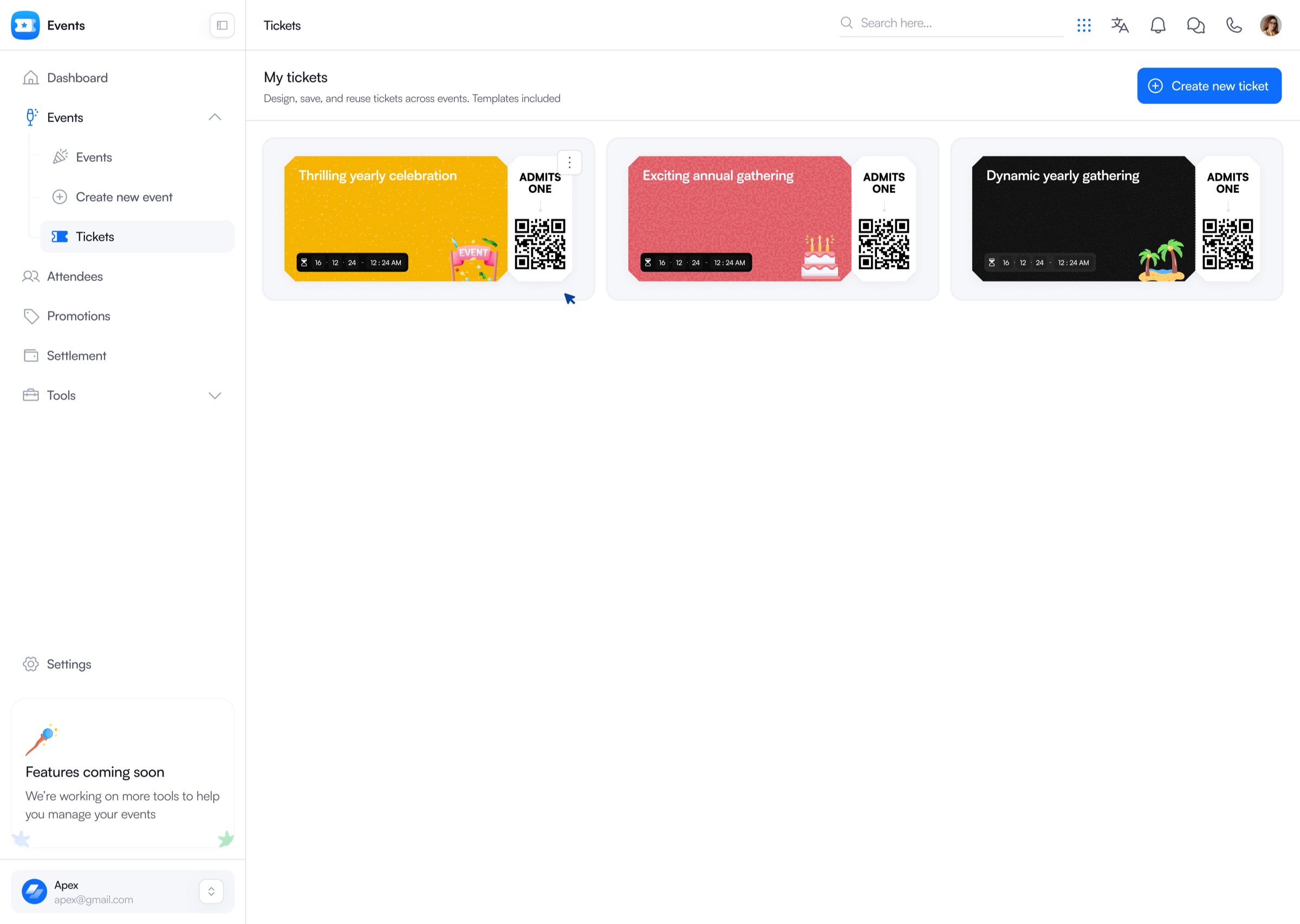
Create and manage tickets
Ticket structure, pricing, visual design, and reusable tickets form one connected workflow.
Close the loop
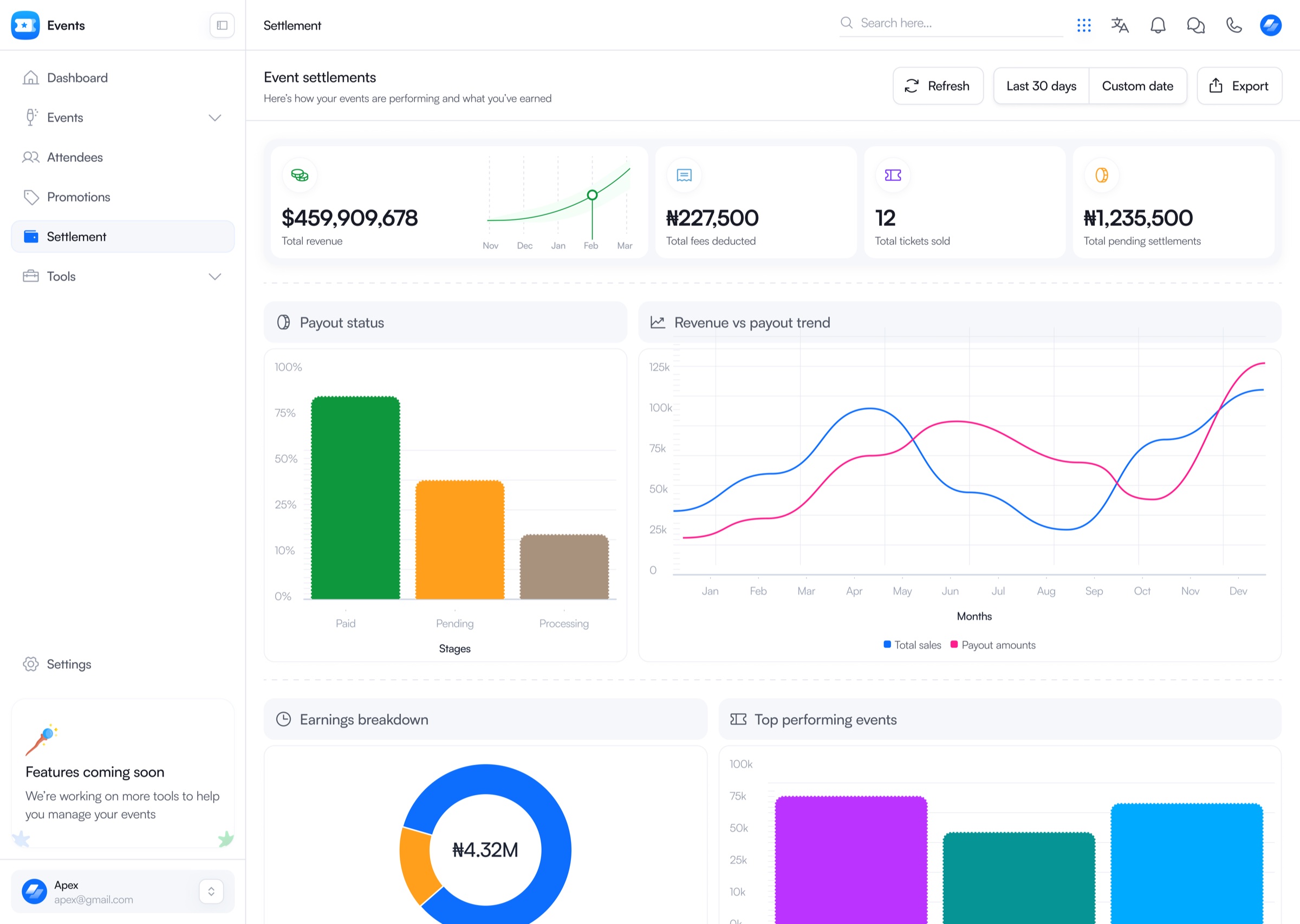
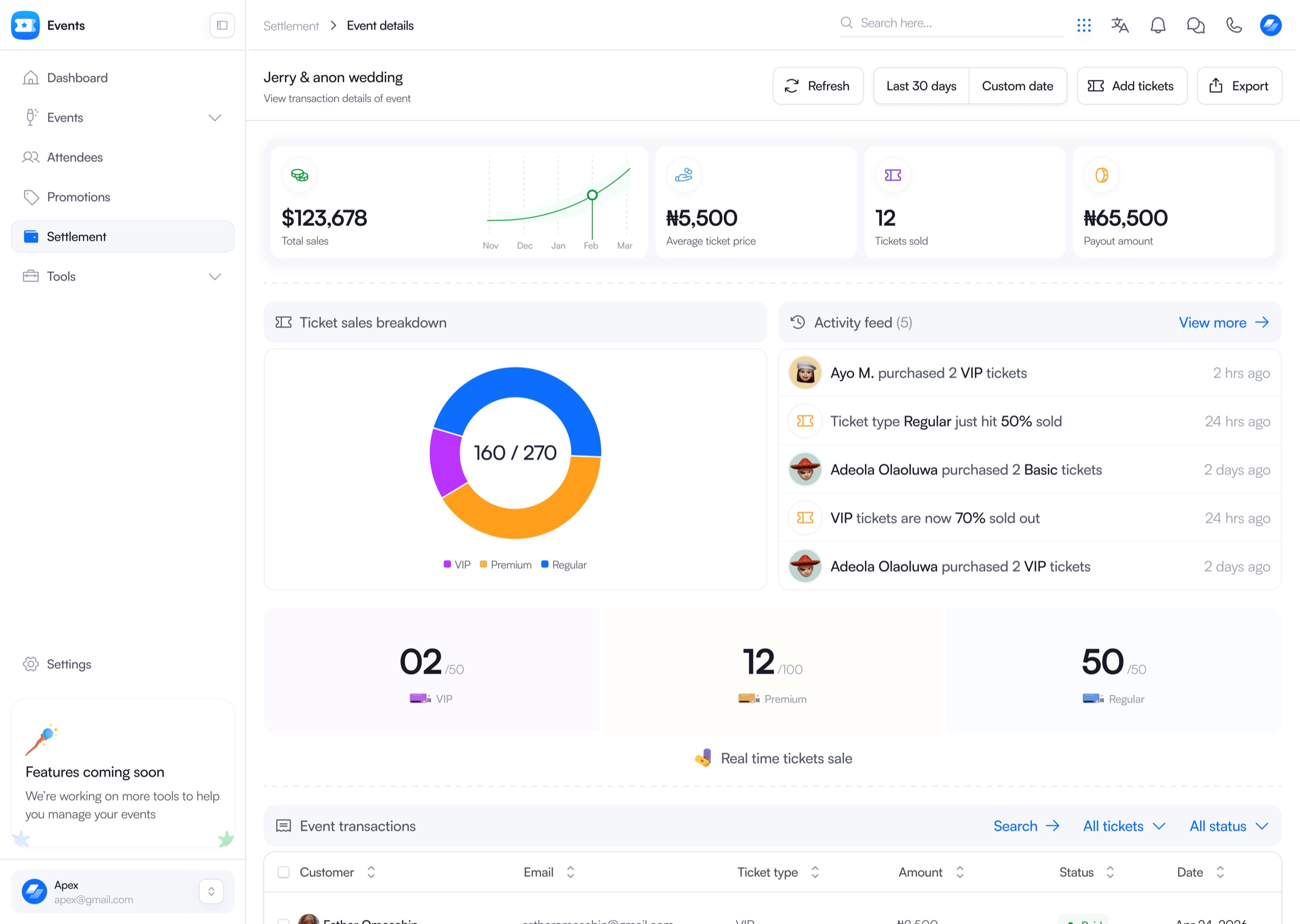
Sales, payout status, ticket performance, and settlement remain connected to the event.
The point
Design for the mess directly.
Real event planning is rarely clean. Guest counts shift the morning of. A vendor runs late. A room needs to flip faster than expected. Every structural decision in Events OS, the single planning surface, the shared timeline model, the deliberate phasing, came from designing for that mess directly, not from designing a tidy diagram and hoping reality would cooperate with it.
Reflection
The real design work was architectural, not visual.
It was deciding what needed to be one connected system versus what could wait, and building the first version so it could hold the weight of what comes next without needing to be rebuilt.